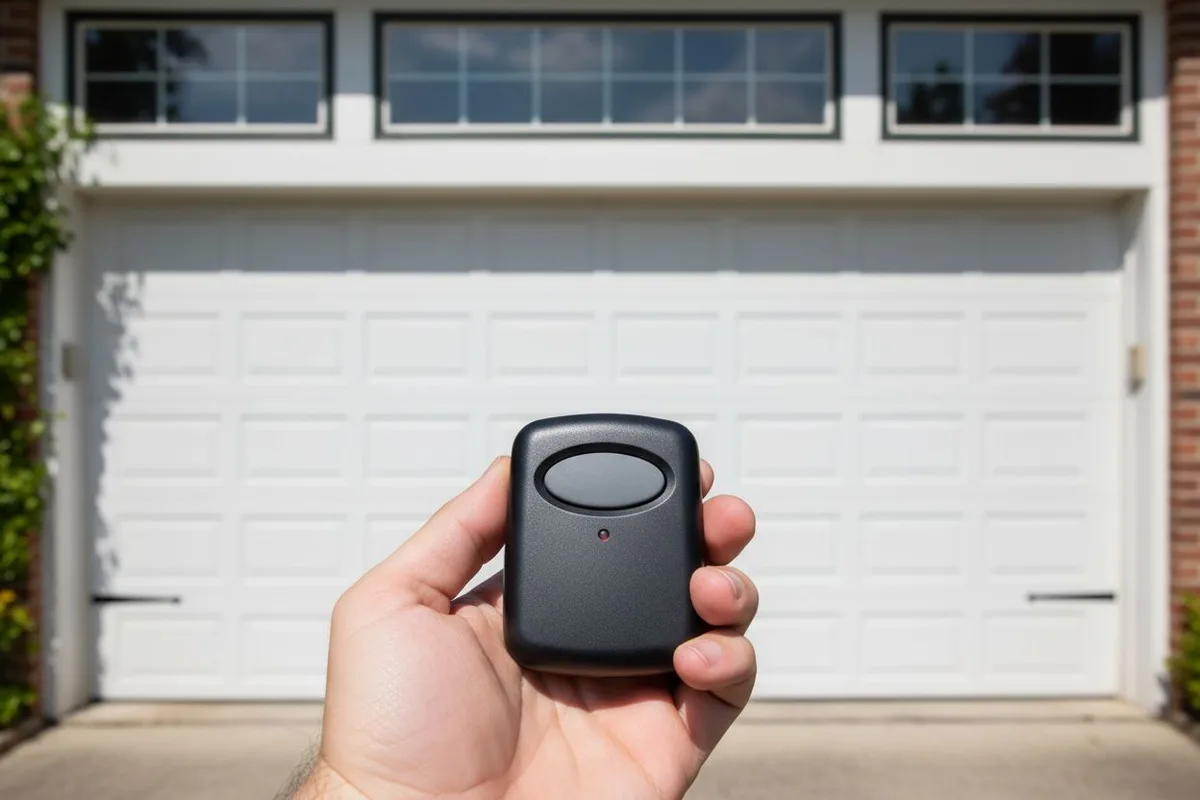
Quick answer: Try these four fixes in order before replacing the remote: (1) replace the battery, (2) reprogram the remote to the opener, (3) check for signal interference, (4) test the opener\'s antenna and wall button. Most remote problems resolve at step 1 or 2. If none of these work, the remote\'s circuit board may have failed - replacement remotes run $25-$60.
Step 1: Replace the battery (fixes about 60% of remote problems)
Garage door remotes use one of three common battery types:
- CR2032 coin cell - most modern remotes (LiftMaster Security+ 2.0, Chamberlain MyQ, Genie Aladdin)
- 23A 12V battery - older LiftMaster, Chamberlain, Genie remotes (1990s-2010s)
- 9V battery - vintage remotes (1980s-90s) and some commercial
To replace: most remotes have a slide-off back cover or a small Phillips screw. Pop the cover, note the battery orientation (+ side up vs down), swap with a fresh battery. Watch for corrosion in the battery compartment - if you see white/green crust, clean it out with a Q-tip and rubbing alcohol before inserting the new battery.
Test the remote within 6 feet of the opener. If the door responds, you\'re done.
Step 2: Reprogram the remote (fixes another 20% of problems)
Remotes occasionally lose their pairing with the opener - usually after a power outage, a wall-switch update, or a battery sitting empty for an extended period. To reprogram (general procedure - your opener model may vary):
- Locate the "Learn" button on the opener. It\'s on the motor unit itself (not the wall switch). Color depends on year/model:
- Purple = LiftMaster Security+ 2.0 (newest, ~2010+)
- Yellow = LiftMaster Security+ (1996-2010)
- Red, Orange, or Green = LiftMaster older models (pre-1996) - security concerns; consider replacing the opener
- Round button = Genie Intellicode
- Square button with "Learn" label = Chamberlain
- Press and release the Learn button. An LED next to the button will light up (stays lit for ~30 seconds).
- Within 30 seconds, press the button on your remote that you want to control the opener. Hold for 2-3 seconds.
- The opener light should flash or click - that means programming is complete.
- Test the remote from your normal use distance.
If you have multiple remotes, repeat for each one. If you\'re also using a keypad outside the garage, you\'ll need to program that separately.
Step 3: Check for signal interference
Garage door remotes use radio frequencies (typically 315 MHz or 390 MHz). Several common South Florida sources interfere with these signals:
- LED lights in the garage - Cheap LED bulbs emit radio noise. Try switching to a different bulb or removing it temporarily.
- Wi-Fi router nearby - Usually not a problem, but worth testing if the router is mounted near the opener.
- Smart home devices - Particularly some smart outlets and bulbs.
- Other garage door remotes from neighbors using the same code - This is rare with modern rolling-code remotes but common with 1990s-era fixed-code remotes.
- Wireless cameras in the garage.
To test for interference: try operating the remote with the garage door opener directly visible to the remote (10-15 feet away, line of sight). If it works there but not from farther away, it\'s likely interference - not a remote problem.
Step 4: Test the opener\'s antenna and wall button
If steps 1-3 don\'t fix it, the problem may be on the opener side, not the remote:
- Check the antenna - Look at the opener motor. There should be a short wire (3-6 inches) hanging down from the motor unit. That\'s the antenna. If it\'s been chewed by rodents (common in South Florida garages), tucked up inside the motor housing, or accidentally cut, that reduces remote range to almost nothing.
- Test the hardwired wall button - If the wall button works fine but no remote works, the opener\'s antenna or radio receiver has failed. If neither works, the opener itself may need replacement.
- Test with a NEW remote - If a brand-new programmed remote also doesn\'t work, the opener\'s receiver board is the problem.
When to replace the remote vs the opener
Replace the remote (don\'t go further) if:
- The remote is physically damaged (cracked case, broken button, water damage)
- A different working remote pairs successfully with the opener
- You\'ve had this remote for 8+ years and the battery contacts are corroded
Replace the opener if:
- A new programmed remote also won\'t work
- The wall button works inconsistently
- The opener is over 15 years old (most openers last 15-20 years)
- The opener uses pre-1996 fixed-code security (security risk)
- The opener doesn\'t have battery backup (Florida law requires battery-backup openers as of 2019, taking effect for new installs)
What replacement remotes cost
OEM replacement remotes (LiftMaster, Chamberlain, Genie, Wayne Dalton): $30-$60 each. Universal remotes (Skylink, MightyMule, generic compatible): $20-$35. Smartphone app upgrade (LiftMaster MyQ, Chamberlain MyQ Garage): $30-$70 for the device + free app. We can install and program any of these as part of a service call ($89-$129 plus the remote cost).
Smartphone-based remote alternatives
If your remote keeps failing or you just want fewer physical remotes in the car, consider upgrading to a smartphone-based system:
- LiftMaster MyQ / Chamberlain MyQ Garage - Bolt-on Wi-Fi adapter for your existing opener; works with 2003-and-newer LiftMaster + Chamberlain models. Around $30-$70.
- Genie Aladdin Connect - Similar for Genie openers.
- Tailwind iQ3 - Universal smart adapter that works with most opener brands.
- Built-in smart opener replacement - Current LiftMaster ProSeries / Genie StealthDrive 750 / Chamberlain B6713T all have built-in Wi-Fi; smartphone control is included.
Frequently asked questions
How do I know if my garage door remote is bad?
Test it in this order: (1) replace the battery, (2) try from 5 feet away with line-of-sight to the opener, (3) try reprogramming it. If none of those work, the remote\'s circuit board has failed and it needs replacement. If a different working remote also doesn\'t pair with the opener, the problem is the opener\'s receiver, not the remote.
What kind of battery does a garage door remote take?
Modern remotes (2010+) usually use a CR2032 coin cell. Older remotes (1990s-2010s) typically use a 23A 12V battery. Vintage remotes (1980s-90s) sometimes use a 9V battery. The battery type is printed inside the remote\'s battery compartment.
Why does my garage door remote only work close to the door?
That\'s a signal-strength problem, almost always caused by one of three things: (1) the opener\'s antenna is broken, tucked up, or chewed; (2) the remote\'s battery is weak (often works close-up but not at distance); (3) something in the garage is causing radio interference (LED bulb, wireless camera, or smart device).
Can I program any remote to any opener?
Modern remotes need to match the opener\'s frequency and security code system. LiftMaster Security+ 2.0 remotes work with Security+ 2.0 openers; Chamberlain MyQ remotes work with MyQ-compatible openers; etc. Universal remotes work with most major brands but may not work with vintage 1980s openers.
How long should a garage door remote last?
The remote hardware itself: 10-15 years easily. The battery: 2-4 years for daily use, 5+ years for occasional use. The opener\'s receiver: 15-20 years before the radio board starts having reliability problems.
Skip the YouTube rabbit hole - we'll have a tech at your door same day across Broward, Dade and Palm Beach.