A garage door remote is one of the most convenient tools for any homeowner. With just one press, your garage door opens or closes without needing to step out of your car. However, like any other device, a garage door remote can sometimes stop working properly. One of the most common problems people face is a weak or lost signal. If your garage door remote isn't responding as it should, don't worry - this guide will help you understand what might be wrong and how to fix it easily.
1. Check the Batteries
The first thing to check when your garage door remote stops working is the batteries. Batteries power the remote, and over time, they lose charge. If the signal feels weak or completely unresponsive, replace the batteries with new ones. Most remotes use small coin cell or AAA batteries. Make sure you use the right type.
After replacing the batteries, try pressing the remote button again while standing close to the garage door. If it works, the issue was simply due to weak batteries. If it still doesn't respond, move on to the next steps.
2. Inspect the Remote's Buttons
Over time, the buttons on your garage door remote can wear out or get stuck. Dust and debris may build up around the buttons, preventing proper contact. Clean the remote with a soft cloth and make sure the buttons press smoothly. If any button feels loose or doesn't click properly, the internal contact may be damaged.
You can open the remote carefully using a small screwdriver and check for any visible dirt or corrosion. Gently clean the inside with a dry cotton swab. Avoid using water or liquid cleaners, as they might damage the internal circuit.
3. Reprogram the Remote
Sometimes, your remote loses its connection with the garage door opener. This can happen due to a power outage, interference, or system reset. Reprogramming your remote can fix this problem. Most garage door openers have a "Learn" or "Program" button located on the motor unit.
Here's how you can reprogram the remote:
- Locate the "Learn" button on the garage door opener unit.
- Press and release it once. A small indicator light will start blinking.
- Within 30 seconds, press and hold the button on your remote control until the light stops blinking or the door moves.
- Test the remote to see if it's working.
This process reconnects your remote to the opener. If your garage door responds after reprogramming, the issue is solved.
4. Check for Interference
Another common reason for weak or lost signals is electronic interference. Modern homes are filled with wireless devices such as Wi-Fi routers, baby monitors, cordless phones, and even LED lights. These devices can interfere with the frequency your garage door remote uses to send signals.
Try turning off nearby electronic devices one by one to see if the interference stops. If your remote starts working after turning off a particular device, move that device farther from your garage door opener or use a different frequency if possible.
5. Inspect the Antenna
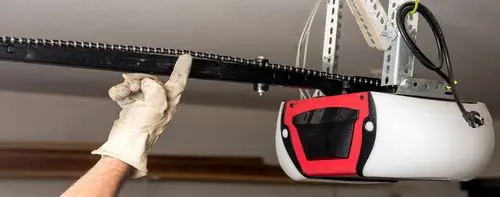
Your garage door opener has a small antenna that receives signals from the remote. Over time, the antenna can get dirty, bent, or damaged. Locate the antenna, which usually hangs down from the opener motor. Make sure it's straight and free from dirt or dust. Gently wipe it with a dry cloth.
If the antenna appears broken, it may need replacement. You can find compatible antenna parts at most hardware or garage door supply stores.
6. Check the Range
If your garage door remote only works when you're very close to the door, it may be a range issue. This can happen if your remote's signal is weak or blocked by obstacles. Try standing in different spots outside your garage and test the remote.
Sometimes, metal objects, vehicles, or thick walls can block the signal. Ensure you are within the typical range (usually 20 - 50 feet) and that nothing is obstructing the path between your remote and the opener's antenna.
7. Inspect the Garage Door Opener Unit
If none of the above steps work, the problem might not be with your remote but with the garage door opener itself. Check if the wall switch (mounted inside your garage) works. If the wall switch opens and closes the door, then the problem is likely with the remote signal receiver inside the opener.
Try unplugging the opener for a few minutes and then plugging it back in. This resets the system and can sometimes fix small glitches. If it still doesn't work, you may need to have the receiver inspected or replaced by a professional technician.
8. Replace the Remote
If your remote is old or damaged, replacing it might be the simplest solution. Over time, internal circuits can wear out. You can buy a compatible replacement remote from the same brand as your garage door opener or a universal remote that works with multiple brands. Make sure to program it according to the instructions provided in the manual.
9. Check for Power Supply Issues
Sometimes, the problem is not with the remote at all but with the power supply to the opener. Check if your garage door opener is plugged in properly and that the outlet is working. You can test the outlet by plugging in another device. Also, inspect the circuit breaker or fuse box to ensure nothing has tripped.
If your opener has an indicator light, make sure it's on. If it's off, your opener might not be receiving power. Restoring the power should help the remote work again.
10. Look for Damaged Wiring or Components
Loose or damaged wires in your garage door system can also cause signal problems. Carefully inspect the wiring between the opener, wall switch, and any sensors. Look for signs of wear, corrosion, or fraying. If you notice any damaged wires, it's best to call a qualified technician to handle the repair, as electrical work can be risky.
11. Consider Environmental Factors
Extreme weather conditions can sometimes affect your garage door's performance. Very cold or hot temperatures might cause the circuit components to contract or expand, leading to connection issues. Keeping your garage dry and well-ventilated can help maintain the equipment's condition and prevent these signal problems.
12. Regular Maintenance Tips
To prevent signal issues in the future, follow a few maintenance steps regularly:
- Replace batteries every 6 - 12 months.
- Clean your remote and opener antenna monthly.
- Reprogram your remote if you experience power outages.
- Keep electronic devices and Wi-Fi routers away from the garage door opener.
- Inspect wiring and connections every few months.
13. When to Call a Professional
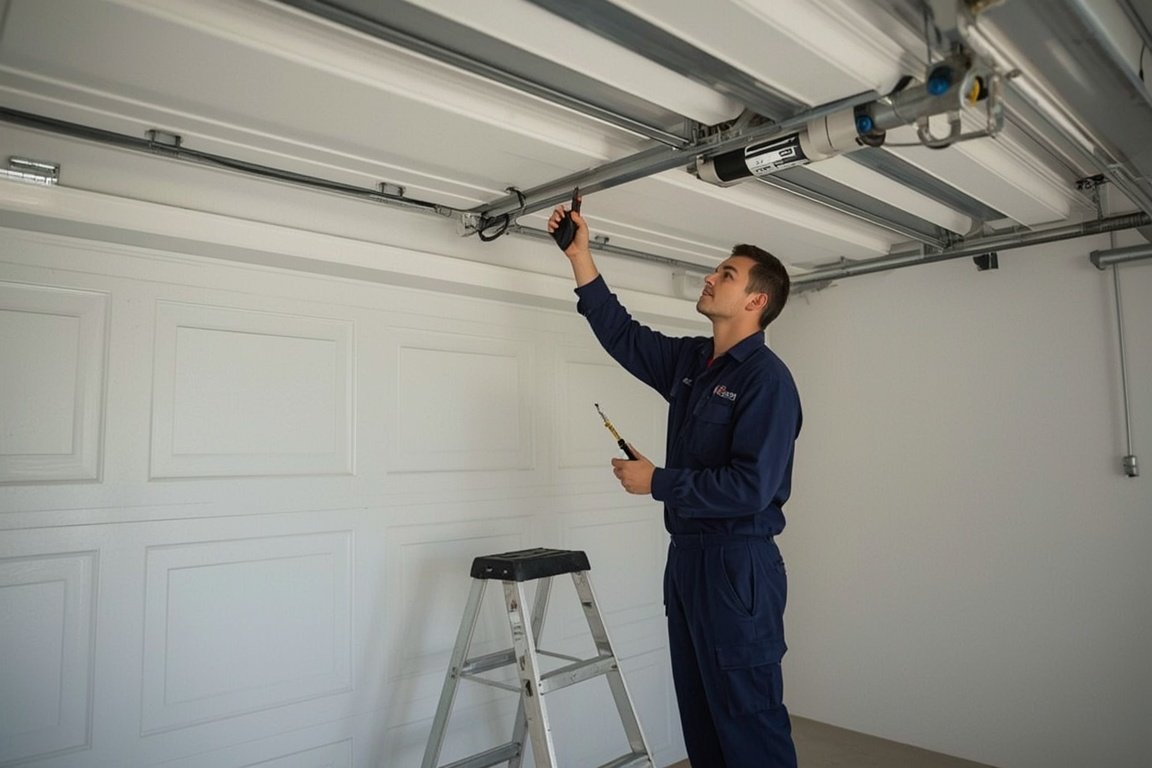
If you've tried all the steps and your garage door remote still isn't working, it's time to contact a professional garage door technician. Professionals have the right tools and experience to diagnose signal issues, replace faulty components, and ensure your system works safely and efficiently.
Garage door systems involve electrical circuits, high-tension springs, and moving parts, which can be dangerous to handle without proper training. Getting expert help can save you time, effort, and potential repair costs down the road.
Conclusion
Fixing a garage door remote signal issue is often easier than it seems. In most cases, it comes down to simple things like replacing batteries, reprogramming the remote, or cleaning the antenna. However, if the problem persists even after trying all these solutions, a professional inspection might be the best choice. Keeping your garage door system well-maintained will ensure it operates smoothly and responds instantly when you need it most.
With these simple steps, you can troubleshoot and fix most garage door remote signal issues on your own - restoring convenience and peace of mind every time you arrive home.
Skip the YouTube rabbit hole - we'll have a tech at your door same day across Broward, Dade and Palm Beach.