Few things are more frustrating than pressing your garage door remote and watching nothing happen. If your opener works intermittently or has a delayed response, signal interference may be the culprit. Modern garage door openers rely on radio frequencies (RF) to communicate between the remote control and the motor unit. When other electronic devices or environmental factors disrupt that signal, your garage door might fail to respond properly. Fortunately, there are simple ways to identify and prevent signal interference. In this comprehensive 1000-word guide, we'll explain what causes it, how to spot the signs, and how to maintain strong, reliable performance from your garage door opener.
Understanding garage door opener signals
Garage door openers operate on specific radio frequencies, typically 300 - 400 MHz, which allow the remote control to send a short command to the opener's receiver. When you press the remote button, it transmits a coded signal that tells the motor to activate. However, these frequencies can be affected by other nearby devices using similar ranges, resulting in interference. Understanding how these signals work helps you troubleshoot and prevent problems more effectively.
Common causes of signal interference
Many modern homes are filled with devices that emit wireless signals. While convenient, this creates more potential for interference. Here are the most common causes:
- Electronic devices: Wi-Fi routers, baby monitors, wireless cameras, and Bluetooth devices can interfere with RF signals.
- LED and fluorescent lights: Some light fixtures, especially low-quality LED bulbs, emit frequencies that overlap with garage door signals.
- Power lines and transformers: Nearby electrical sources can create background noise that weakens your opener's receiver sensitivity.
- Metal structures: Metal garage doors, siding, or shelving can block or reflect signals, reducing range.
- Neighboring devices: Your neighbor's opener or remote might use a similar frequency, leading to overlapping signals.
- Faulty wiring or circuit boards: A damaged receiver or electrical connection in your opener can mimic interference.
Recognizing signs of signal interference
Signal interference usually develops gradually, but it can also appear suddenly after new electronics are installed nearby. Be alert for these common symptoms:
- Your garage door remote works only when you're very close to the door.
- The remote works intermittently or takes multiple presses to respond.
- The wall-mounted control panel works fine, but the remote doesn't.
- The opener light flickers or operates inconsistently.
- Multiple remotes fail to work even after replacing batteries.
If these problems sound familiar, interference is likely affecting your opener's receiver.
How to prevent garage door opener signal interference
1. Identify potential interference sources
Start by making a list of all electronic devices in or near your garage. Common culprits include Wi-Fi routers, wireless speakers, LED lights, and smart home hubs. Try unplugging or turning off these devices one by one to see if your garage door's performance improves. Once you identify the source, relocate or replace it with a better-shielded model.
2. Replace problematic lighting
LED and fluorescent bulbs often create electromagnetic noise that interferes with garage door remotes. To prevent this, switch to bulbs designed specifically for garage door openers. These bulbs are made to resist vibration and limit radio frequency interference. Avoid cheap or unbranded LED bulbs, as they tend to emit more RF noise. Also, ensure that light fixtures and wiring are grounded properly.
3. Upgrade your garage door opener
Older garage door openers, particularly those made before 2012, operate on less secure frequencies that are more prone to interference. Modern openers use rolling-code technology and dual-band frequencies (such as 315 MHz and 390 MHz) to reduce conflicts. If your opener frequently experiences signal issues, upgrading to a newer model can drastically improve reliability and range.
4. Check and reposition the antenna
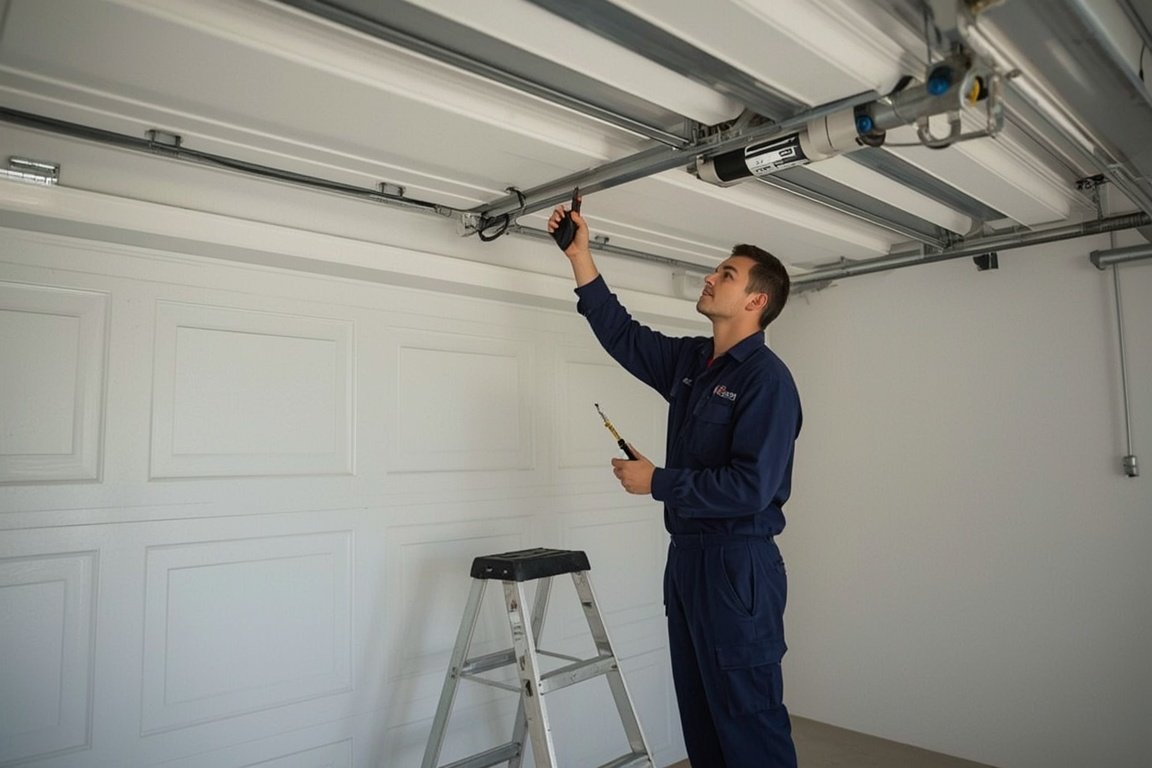
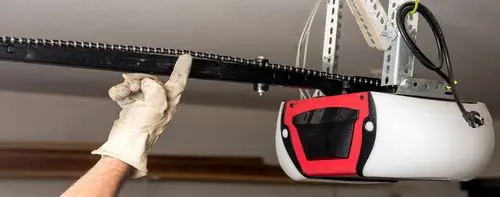
Every garage door opener has a small antenna that receives signals from the remote. Over time, this antenna may get bent, dirty, or obstructed. Make sure it hangs straight down from the opener motor and is not touching metal parts. Clean it gently with a soft cloth to remove dust and ensure a clear path for the signal. Avoid wrapping or taping it along metal supports, which can block reception.
5. Move your Wi-Fi router or smart hub
If your Wi-Fi router or smart home hub is located near the garage, it may interfere with the opener's signal. Try moving it to another part of the house, ideally at least 10 - 15 feet away from the garage door opener. Additionally, if you use Wi-Fi extenders, position them away from the garage ceiling where the opener is mounted. This simple adjustment can restore strong signal performance.
6. Replace the remote control batteries
Weak batteries can mimic interference because they reduce the strength of the transmitted signal. Replace your remote batteries every 12 months, even if the remote still appears to work. Always use high-quality, manufacturer-recommended batteries. After replacing them, re-test the range to see if the issue improves.
7. Use a signal repeater or range extender
If you have a large property or thick walls between your garage and vehicle, a signal repeater can boost the range of your opener. These small devices amplify the signal between the remote and the receiver, helping overcome minor interference. Many modern openers also support Wi-Fi-enabled smartphone apps, which use your home's network instead of traditional RF remotes for control.
8. Ensure proper grounding and wiring
Poor grounding or damaged wires inside the opener can make it more susceptible to interference. Inspect the power cord and outlet for damage, and ensure the opener is plugged into a grounded electrical outlet. If your home's wiring is outdated or lacks grounding, contact a licensed electrician to correct it. This not only prevents interference but also enhances overall safety.
9. Keep metal objects away from the opener
Metal reflects and distorts radio waves, weakening your remote's signal. Avoid storing ladders, shelving units, or large metal tools near the opener or receiver. Even metal insulation panels on the garage ceiling can affect reception, so ensure there's some clearance around the motor housing.
10. Reset or reprogram the opener
Sometimes interference issues can be solved by resetting your opener's frequency or clearing old codes. Consult your manufacturer's manual to erase all existing remote codes and reprogram your remotes. This helps the system assign a new rolling code sequence, minimizing the chance of overlap with other nearby devices.
Additional tips to maintain strong signal performance
- Keep the opener's circuit board clean and dry to prevent corrosion.
- Schedule annual professional maintenance to test range and receiver performance.
- Use surge protectors to shield electronics from power spikes that affect signals.
- Replace old remotes every few years to maintain compatibility with new RF standards.
- Install smart garage door systems that operate via Wi-Fi or Bluetooth to bypass RF issues altogether.
Final thoughts
Signal interference may seem like a minor inconvenience, but it can quickly become a major frustration if ignored. The key to preventing garage door opener signal interference lies in awareness and routine maintenance. Keep electronic devices at a safe distance, use high-quality lighting and batteries, and ensure your opener is properly grounded and maintained. Upgrading to modern systems with improved frequency technology can also help eliminate persistent problems. If you've tried these steps and still experience unreliable performance, contact the professionals at GarageFL for expert troubleshooting and repair. With a few preventive measures, you can ensure your garage door responds promptly every time - making daily access to your home smoother, safer, and stress-free.
Skip the YouTube rabbit hole - we'll have a tech at your door same day across Broward, Dade and Palm Beach.