When you press your garage door remote and nothing happens, frustration can set in quickly. You might check the batteries, press the wall switch, or even try to manually open the door, only to find it completely unresponsive. Often, the culprit isn't the motor itself but the receiver - the small yet vital component that communicates between your remote control and the garage door opener. A broken receiver or related communication issue can leave your garage door inoperable until the problem is properly diagnosed and repaired.
In this detailed 1600-word guide, we'll break down how the receiver works, the top three reasons your garage door isn't opening, and what you can do to troubleshoot or fix it safely. Whether you're dealing with an intermittent signal, total receiver failure, or other communication problems, understanding the system can save time, prevent damage, and help you know when it's time to call a professional technician in Fort Lauderdale.
Understanding How a Garage Door Receiver Works
The receiver is an electronic component that listens for signals from your remote or keypad. When you press the remote button, it sends a coded radio frequency signal that the receiver recognizes. Once it verifies the code, it activates the opener motor, lifting or lowering the door. Essentially, it's the "ears" of your garage door opener - without it, no command from your remote can be executed.
Modern garage door systems use rolling code technology, meaning the access code changes each time you press the remote. This prevents hacking and improves security. However, it also means that if the receiver malfunctions, communication between your remote and the opener will fail, making the door unresponsive to remote commands.
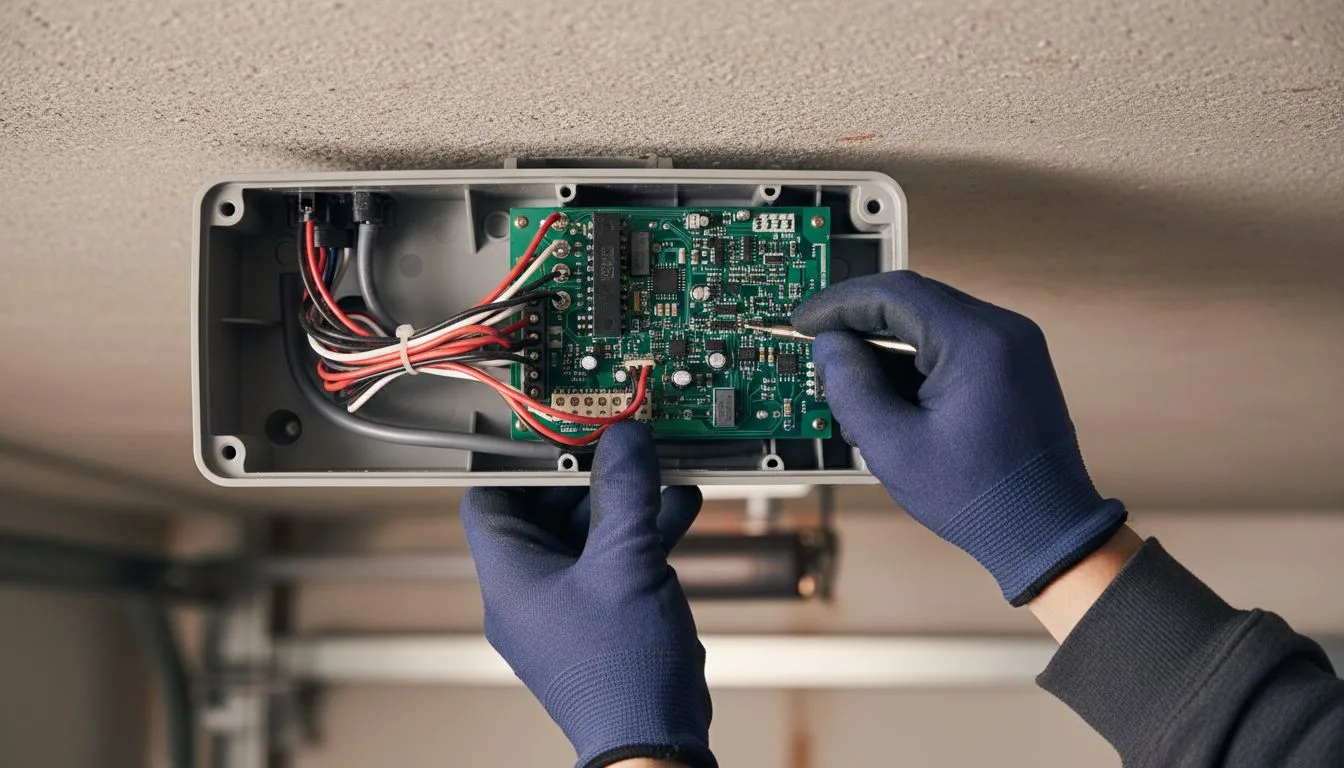
Receivers can be built into the opener's circuit board or exist as external units connected by wiring. External receivers are common in older systems or after upgrades when the original receiver becomes obsolete.
Signs Your Receiver May Be Broken
Before diving into the main reasons your garage door isn't opening, it's important to recognize the signs of a faulty receiver. These indicators often point directly to a communication breakdown:
• The garage door doesn't respond to the remote but works with the wall switch.
• The opener light doesn't blink when you press the remote button.
• The remote range suddenly becomes very short, requiring you to be near the door for it to work.
• Other wireless devices in your home seem to interfere with the garage door operation.
• The LED on the receiver doesn't light up, indicating a power or signal issue.
1: Electrical or Power Supply Issues
One of the most common reasons your garage door won't open - even though the remote and motor appear fine - is a power issue affecting the receiver. The receiver requires consistent power to communicate with the opener. If the power source is interrupted, the receiver cannot relay commands from your remote.
Possible causes include:
• A tripped circuit breaker or blown fuse in your garage.
• Loose or corroded electrical connections inside the opener housing.
• Damage to the receiver's power board due to power surges or lightning strikes, which are common in Fort Lauderdale's stormy climate.
• Faulty wiring or moisture infiltration inside the unit.
How to troubleshoot: Start by checking your outlet. Make sure the opener is plugged in and the circuit breaker hasn't tripped. If your outlet is powered but the opener remains dead, unplug the unit and inspect for any visible signs of water damage or burnt components. Do not attempt to open the receiver housing yourself if you're unfamiliar with electrical systems - contact a professional technician to safely assess the circuitry.
Electrical problems often go unnoticed until they disable other functions, so timely diagnosis is essential. A professional can test voltage, replace wiring, and verify that the receiver and opener are properly grounded.
2: Radio Frequency Interference or Signal Disruption
Garage door receivers rely on clean radio frequency (RF) communication to detect signals from your remote. However, interference from other electronic devices can disrupt this communication, preventing your receiver from "hearing" the command properly. This is especially common in urban areas or homes filled with modern smart devices.
Common sources of interference include:
• Wi-Fi routers operating on similar frequencies.
• Wireless security cameras, baby monitors, or cordless phones.
• LED or fluorescent lighting emitting electromagnetic noise.
• Nearby radio transmitters, cell towers, or even neighbors' garage door systems.
When interference occurs, you might notice inconsistent operation - sometimes your remote works perfectly, other times it fails without explanation. This intermittent behavior can make the problem difficult to pinpoint.
How to troubleshoot: Start by moving potential sources of interference away from the opener, such as Wi-Fi routers or LED lights near the garage ceiling. Try using your remote closer to the door to test the signal. If it works at close range but not from your usual spot, the receiver may need recalibration or replacement. Professionals can measure RF strength and recommend compatible receivers with better interference resistance.
In some cases, installing an upgraded receiver or antenna extension can resolve signal issues, improving your remote's range and reliability.
3: Receiver or Remote Malfunction
Sometimes the issue isn't the opener or the environment - it's the receiver itself. Like any electronic component, receivers can wear out or fail over time. Constant exposure to heat, humidity, and electrical stress can cause internal circuits to degrade, especially in Florida's warm coastal climate.
Common signs of receiver malfunction include:
• The LED indicator on the receiver fails to light when pressing the remote.
• The door opens or closes intermittently.
• The receiver fails to "learn" or retain the remote's signal after programming.
• Multiple remotes suddenly stop working simultaneously.
How to troubleshoot: First, replace your remote's batteries to rule out a simple issue. Then, try reprogramming your remote according to the opener's manual. If reprogramming doesn't resolve the issue, the receiver module may need replacement. A professional technician can test the receiver board with diagnostic tools to confirm whether it's transmitting and receiving properly.
In many cases, replacing a faulty receiver is more cost-effective than attempting to repair the internal circuitry, especially for older openers that may no longer support new remotes. Modern receivers are often backward compatible with older systems and include improved security features.
How Professionals Diagnose Receiver Problems
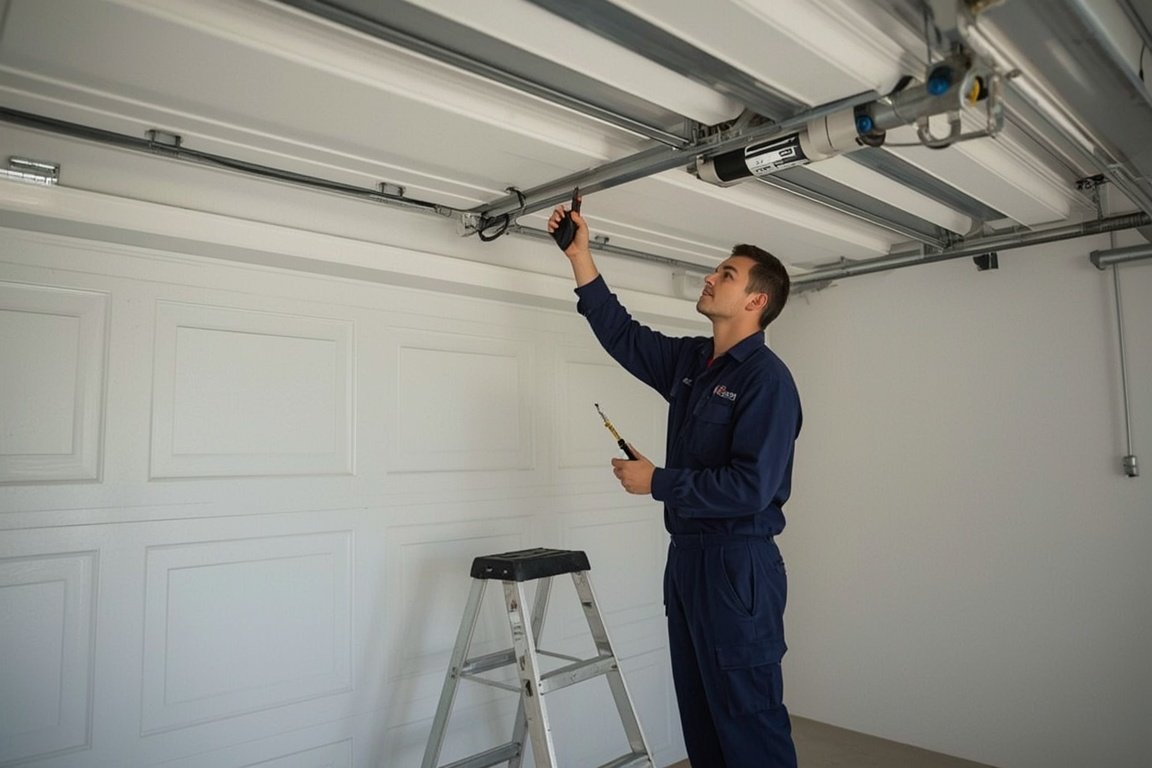
When you contact a Fort Lauderdale garage door technician for a non-opening door, they'll follow a systematic diagnostic process to pinpoint the issue. The inspection typically includes:
• Testing power supply and voltage continuity to the receiver.
• Checking for signal output from the remote using a frequency tester.
• Inspecting the opener circuit board for burnt or corroded components.
• Testing the receiver antenna and connections for damage or misalignment.
• Performing reprogramming and pairing tests with multiple remotes.
This thorough approach ensures that no other underlying problem, such as a faulty wall control, broken spring, or damaged motor, is mistaken for a receiver malfunction.
Preventing Receiver Failures
While receiver failures can occur unexpectedly, regular maintenance and smart placement can extend their lifespan significantly. Here are several ways to prevent receiver-related issues:
• Keep electronic devices that operate on similar frequencies (such as routers or cameras) at least a few feet away from the opener.
• Protect your garage door opener from power surges with a surge protector or dedicated circuit.
• Clean the receiver area periodically to prevent dust or debris from blocking the antenna.
• Schedule annual inspections with a professional to test signal range and system performance.
• Avoid exposing the opener unit to excessive moisture or humidity by ensuring proper ventilation in the garage.
When to Replace the Receiver or Entire Opener
If your receiver continues to fail even after troubleshooting, replacement may be necessary. However, in some situations, upgrading the entire opener system may be the better choice. For example, if your opener is over 15 years old, newer models come with integrated receivers, improved range, and smart technology that allows smartphone control.
Replacing both the opener and receiver at once ensures compatibility, eliminates recurring issues, and brings your system up to modern safety standards, including rolling code encryption and automatic lockout protection.
Professional vs. DIY Receiver Replacement
Although it may be tempting to install a new receiver yourself, the process often involves electrical connections, system programming, and compatibility checks. Incorrect wiring or improper frequency configuration can cause permanent damage to your opener. Professional installers have the tools and expertise to perform the replacement safely, test communication accuracy, and ensure all remotes are properly synchronized.
In Fort Lauderdale's humid environment, professionals also take extra precautions to seal connections and prevent corrosion, extending the longevity of your new receiver.
Other Possible Reasons Your Garage Door Won't Open
While receiver problems are common, they're not the only reason your garage door may refuse to open. Additional causes include:
• Broken torsion or extension springs preventing the door from lifting.
• Misaligned or blocked safety sensors stopping operation.
• A malfunctioning wall control button.
• A disengaged opener trolley or track obstruction.
• A damaged logic board in the opener motor.
For this reason, it's always advisable to have a professional evaluate the entire system rather than replacing parts based on assumption.
Ensuring Reliable Garage Door Performance
To keep your garage door system functioning smoothly, combine regular inspections with preventive care. Lubricate moving parts, check weather seals, test remote response range, and ensure that safety sensors remain aligned. By keeping the system clean and secure, you reduce the risk of signal interference or mechanical failure.
Additionally, if your home's electrical system has frequent surges, installing a dedicated surge suppressor for your opener can protect sensitive electronics like the receiver board.
Final Thoughts
A broken receiver can be a frustrating but fixable issue. Whether it's caused by power interruptions, signal interference, or hardware failure, understanding how the system works helps you take the right steps toward a safe and lasting solution. While DIY troubleshooting can identify simple problems, electrical repairs and replacements should always be handled by a trained garage door technician.
For homeowners in Fort Lauderdale, addressing receiver problems promptly not only restores convenience but also ensures security and reliability. With professional inspection and proper maintenance, your garage door system can provide seamless, hassle-free performance for years to come.
Skip the YouTube rabbit hole - we'll have a tech at your door same day across Broward, Dade and Palm Beach.